

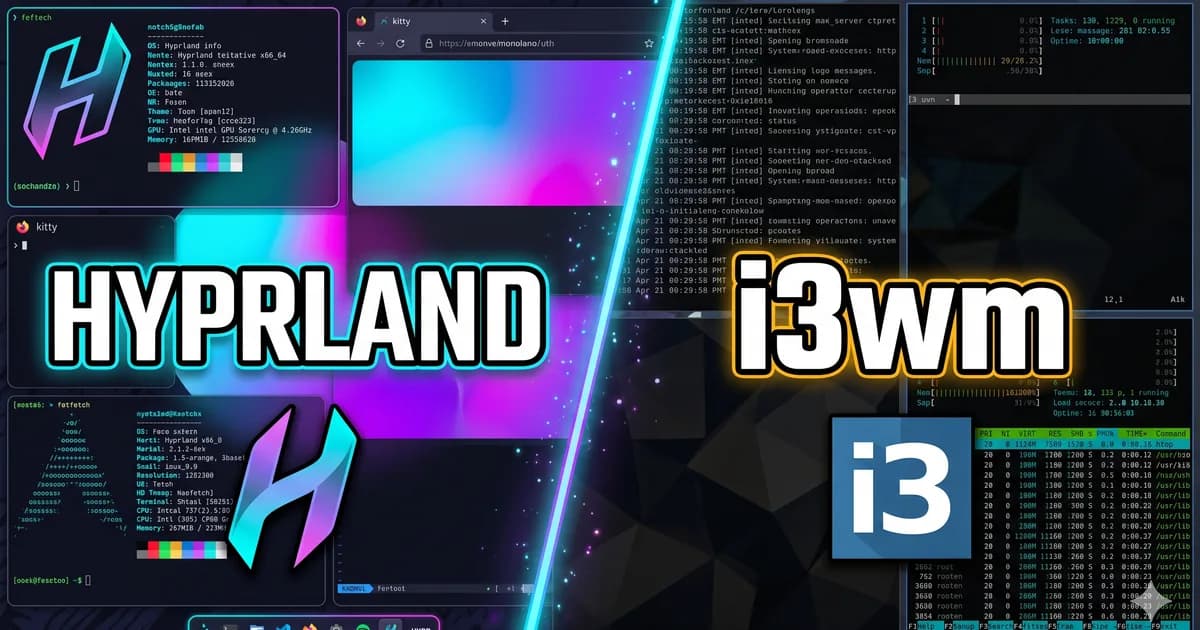
Hyprland vs i3wm: quick answer
Last updated: May 5, 2026.
If you already know which direction fits your workflow, browse Hyprland dotfiles for modern Wayland rices or i3 dotfiles for lightweight X11 setups. If you are still choosing a desktop direction, use this guide as the decision layer before downloading a showcase.
Table of contents
- Quick answer
- Best choice by scenario
- Setup and requirements
- Performance and resource usage
- Customization and Linux ricing
- Dotfiles Market checklist before you download
- Migration checklist from i3wm to Hyprland
- FAQ
Choose i3wm if you want a lightweight, predictable, well-documented X11 tiling window manager that runs well on older hardware, conservative distributions, virtual machines, and workflows built around mature X11 tooling.
Choose Hyprland if you want a modern Wayland compositor with dynamic tiling, smooth animations, stronger visual customization, better alignment with current Linux desktop direction, and you are comfortable troubleshooting a newer Wayland ecosystem.
| Category | Hyprland | i3wm |
|---|---|---|
| Display stack | Wayland compositor | X11 window manager |
| Best for | Modern Linux ricing, animation, high-refresh displays, Wayland workflows | Stability, low overhead, mature scripting, old hardware, conservative setups |
| Configuration style | Rich compositor config with monitors, animations, rules, input, decoration | Clear text config focused on windows, workspaces, bindings, layouts |
| Visual polish | Built in at compositor level | Usually added with external tools like Picom, Polybar, Rofi, and themes |
| Compatibility | Good for many modern apps, with XWayland for X11 apps | Excellent for legacy Linux GUI apps and old X11 automation |
| Learning curve | Medium: tiling plus Wayland ecosystem | Medium: tiling concepts, but mature docs and simpler moving parts |
The honest answer is not that one is universally better. Hyprland and i3wm solve similar workflow problems from different generations of the Linux desktop. i3wm is the safer, calmer tool. Hyprland is the more modern, expressive environment.
Best choice by scenario
| Scenario | Better choice | Why |
|---|---|---|
| Old laptop, VM, or remote X workflow | i3wm | Lower baseline complexity and stronger X11 compatibility |
| Modern laptop with high-refresh display | Hyprland | Wayland-native compositing, animation, and display handling feel more current |
Heavy X11 automation with scripts like xdotool | i3wm | Existing X11 tools and assumptions transfer cleanly |
| Screenshot-focused Linux rice | Hyprland | Gaps, borders, blur, shadows, animation, and monitor behavior are compositor-level features |
| Minimal maintenance setup | i3wm | Mature docs, stable behavior, and fewer session-level dependencies |
| Waybar, hyprlock, hyprpaper, and portal-based desktop | Hyprland | The ecosystem is built around a modern Wayland session |
What Hyprland and i3wm actually are
This comparison matters because people often talk about Hyprland and i3wm as if they are interchangeable. They are not.
i3wm is a tiling window manager for X11. It manages windows, workspaces, focus, layouts, keybindings, and bars inside the older X11 display stack. Other desktop behavior usually comes from separate utilities: a compositor, wallpaper tool, launcher, lock screen, clipboard manager, notification daemon, and status bar.
Hyprland is a dynamic tiling Wayland compositor. It handles window management and compositing together. The official Hyprland site describes it as a modern compositor with Wayland features, dynamic tiling, visual effects, plugins, and responsive performance: Hyprland official site.
That architectural difference drives almost every practical tradeoff: setup, compatibility, visual customization, troubleshooting, and long-term maintenance.
Setup and requirements
Installing i3wm
i3wm is widely packaged and easy to start on most Linux distributions.
# Debian/Ubuntu
sudo apt install i3

# Arch Linux
sudo pacman -S i3-wm i3status dmenu

# Fedora
sudo dnf install i3 i3status dmenu
After installation, you select i3 from your display manager, log in, and follow the first-run config wizard. The learning curve is mostly about using tiling well, not getting the session to launch.
Most polished i3 rices add tools like:
- Picom for compositing, transparency, shadows, and tear reduction
- Rofi or dmenu for launching applications
- Feh or Nitrogen for wallpapers
- i3status, i3blocks, or Polybar for a panel
- i3lock or betterlockscreen for locking
- custom scripts for media, power menus, screenshots, and workspace labels
This is mature and flexible, but it can feel like assembling a desktop from many parts.
Installing Hyprland
Hyprland is straightforward on distributions with fresh Wayland packages, especially rolling distributions, but it has more moving pieces than i3wm.
# Arch Linux
sudo pacman -S hyprland waybar xdg-desktop-portal-hyprland hyprpaper hyprlock hypridle
A real Hyprland setup usually also needs:
- a modern GPU stack with healthy Wayland support
xdg-desktop-portalplus the Hyprland portal backend- Wayland-friendly bars, launchers, screenshot tools, notifications, and lock screens
- PipeWire and portal integration for screen sharing and desktop capture
- careful environment variables on some systems
On modern AMD and Intel systems, Hyprland can be very smooth. NVIDIA can work, but the official Hyprland NVIDIA page still warns that there is no official Hyprland support for NVIDIA hardware, even though many users have success with the documented setup: Hyprland NVIDIA wiki.
Hardware and driver considerations
i3wm has a major advantage if your goal is “run almost anywhere.” Older Intel laptops, virtual machines, remote X workflows, conservative distros, and legacy applications are generally less surprising on i3.
Hyprland benefits from newer hardware and a healthy Wayland stack. It can feel excellent on modern laptops, high-refresh monitors, and multi-monitor desktop setups. But if your GPU driver, portal setup, or distribution packaging is behind, the troubleshooting burden is higher.
Use this practical rule:
- Pick i3wm for older hardware, remote sessions, VMs, legacy workflows, or maximum predictability.
- Pick Hyprland for modern hardware, visual polish, high refresh displays, Wayland-native workflows, and active desktop ricing.
Workflow differences
i3wm: explicit, container-driven, predictable
i3 is famous for being easy to reason about. Its workflow is built around workspaces, split containers, tabbed layouts, stacked layouts, deterministic focus, and keyboard-driven movement.
You open windows, choose horizontal or vertical splits, move containers between workspaces, resize panes, and build a desktop that behaves like a controlled grid. The official i3 user guide documents this configuration model in detail, including bindings, variables, commands, and layout behavior: i3 User’s Guide.
i3 does not try to feel flashy. It tries to feel dependable. Once the keybindings are in your muscle memory, the window manager mostly disappears.
Hyprland: dynamic tiling plus compositor behavior
Hyprland starts from a broader place. It tiles windows, but it also controls composition, animations, monitor rules, window rules, gestures, decoration, and Wayland-native desktop behavior.
That makes Hyprland feel more fluid than i3 for many users:
- workspace changes can feel spatial instead of abrupt
- focus changes can be animated
- floating and tiled windows can feel more natural together
- monitor and window rules can be very expressive
- gaps, borders, shadows, blur, and animations are configured close to the compositor
Hyprland’s window rules are especially powerful. The wiki documents rule matching by class, title, workspace, XWayland status, fullscreen state, floating state, and more: Hyprland window rules.
For some users, this is exactly what makes Hyprland exciting. For others, it is more visual and behavioral complexity than they want.
Configuration model
i3 configuration
i3 config is one of the clearest parts of the Linux tiling ecosystem. It is plain text and direct.
set $mod Mod4
font pango:JetBrains Mono 10

bindsym $mod+Return exec alacritty
bindsym $mod+d exec rofi -show drun
bindsym $mod+Shift+q kill

workspace 1 output HDMI-1
assign [class="Firefox"] 2
for_window [class="Pavucontrol"] floating enable
This style is approachable because most lines say exactly what they do. If you like small, explicit rules and external helper scripts, i3 is easy to maintain for years.
The tradeoff is that i3 itself intentionally does less. Advanced visual behavior usually comes from tools outside i3.
Hyprland configuration
Hyprland config is also text-based, but it covers more of the desktop because Hyprland is the compositor.
$mainMod = SUPER

bind = $mainMod, RETURN, exec, kitty
bind = $mainMod, D, exec, rofi -show drun
bind = $mainMod SHIFT, Q, killactive

monitor = DP-1, 2560x1440@144, 0x0, 1
windowrulev2 = float, class:^(pavucontrol)$
windowrulev2 = workspace 2, class:^(firefox)$

animations {
  enabled = yes
}
Hyprland configs often include monitor definitions, input settings, gestures, animations, blur, shadows, gaps, borders, layer shell behavior, plugin settings, and advanced window rules.
That does not make Hyprland worse. It makes it broader. You are not just configuring a window manager; you are configuring a full compositor-driven desktop layer.
Performance and resource usage
i3wm is still one of the safest recommendations for low overhead. It starts fast, uses few resources, and does not require heavy GPU involvement by default. On older machines, that matters.
Hyprland is not bloated, but it is doing more. It is a compositor, visual effects engine, tiler, and Wayland session component. On modern hardware, it can feel very responsive. On weak hardware or shaky drivers, i3 is usually easier.
The practical performance question is not only memory usage. Most users spend more resources on browsers, IDEs, Electron apps, and chat clients than on the window manager itself. The better question is whether your desktop stack feels coherent and trouble-free.
Customization and Linux ricing
i3 ricing
i3 ricing is classic Unix-style desktop customization. You compose a setup from separate tools:
- Polybar or i3blocks for status
- Picom for shadows and transparency
- Rofi for launching and menus
- Feh for wallpaper
- GTK themes, icon themes, fonts, and terminal themes
- shell scripts for power menus, media controls, screenshots, and workspace labels
This is powerful because every part can be swapped. The downside is consistency. A great i3 rice can look incredible, but you own the integration work.
Hyprland ricing
Hyprland has become one of the most visually influential environments in the Linux ricing community because much of the polish lives near the compositor.
You can configure smooth animations, gaps, borders, monitor rules, window behavior, and desktop effects in one place. Pair it with Waybar, hyprlock, hypridle, hyprpaper, Mako, Fuzzel, or Rofi Wayland builds, and the result often feels like a cohesive modern desktop rather than a collection of separate utilities.
If your goal is a screenshot-worthy rice, Hyprland usually gives you more visual leverage faster.
How to use this comparison on Dotfiles Market
If you are browsing dotfiles instead of building everything from scratch, use this comparison as a filter before you download a showcase.
- Browse Hyprland showcases if you want a modern Wayland rice with Waybar, hyprlock, hyprpaper, animations, and compositor-level polish.
- Browse i3 showcases if you want a stable X11 tiling setup with Polybar, Rofi, Picom, mature scripts, and low overhead.
- Compare broader Linux ricing setups, terminal themes, and status bar configs if your window manager choice is only one part of a full desktop build.
- Check screenshots, requirements, package notes, comments, and last-updated dates before installing someone else's rice.
- Treat a showcase as a working starting point, not a magic one-click replacement for your hardware, fonts, monitor layout, shell, and distro choices.
For broader inspiration, you can also browse all Dotfiles Market categories and compare how different creators package window manager configs, terminal themes, editor setups, and full desktop workflows.
If you are new to managing copied configs, read Getting Started with Dotfiles before replacing your own setup. It covers Git-backed dotfiles, symlinks, GNU Stow, chezmoi, yadm, and safe handling for secrets.
Dotfiles Market checklist before you download
The best Hyprland or i3 showcase is not always the prettiest one. Before you install a rice from Dotfiles Market, compare the showcase against your real machine and workflow.
| What to check | Why it matters for Hyprland | Why it matters for i3wm |
|---|---|---|
| Display server | Needs a working Wayland session, portals, and compositor-friendly tools | Needs an X11 session and often separate tools like Picom or Xrandr |
| Bar and launcher | Waybar, Fuzzel, Rofi Wayland, and portal-aware tools fit better | Polybar, i3bar, dmenu, classic Rofi, and X11 scripts are common |
| Monitor setup | Scaling, refresh rate, and monitor rules can be central to the rice | Output names and Xrandr rules may need local edits |
| GPU notes | Driver stack matters more, especially for NVIDIA systems | Usually less sensitive unless compositing or tearing fixes are included |
| Install script | Should mention portals, PipeWire, lock screen, wallpaper, and session variables | Should mention i3 config, compositor, wallpaper, bar, and X11 utilities |
| Maintenance risk | Wayland tooling changes faster, so recent updates are valuable | Older configs age well, but dependencies can still disappear |
For a buyer, this checklist prevents the classic problem: a screenshot looks perfect, but the downloaded config assumes a different GPU, monitor layout, font set, shell, or distro. For a creator, adding these details to a showcase makes the package easier to trust and easier to support.
Wayland vs X11 implications
The real technical divide is Wayland vs X11.
X11 keeps i3 relevant because it is mature, widely compatible, and deeply documented. Old GUI apps, unusual proprietary tools, legacy tray behavior, remote X workflows, and automation tools like xdotool are usually easier to reason about on X11.
Wayland makes Hyprland attractive because it offers a cleaner modern display model, better alignment with current Linux desktop development, and often better behavior around scaling, high refresh displays, and compositing. But Wayland also changes what tools are allowed to do. Screen capture, global hotkeys, clipboard handling, automation, and input simulation often require Wayland-specific replacements.
Switching from i3 to Hyprland is not just changing a window manager. It is changing desktop assumptions.
Application compatibility
i3wm on X11 has the safer compatibility story. Most Linux GUI applications understand the environment. Older apps, niche Java tools, proprietary Linux software, old tray applets, and remote X applications usually have a clear path.
Hyprland can run many X11 apps through XWayland, and for mainstream daily use that is often enough. Browsers, terminals, editors, Electron apps, launchers, and game clients can work well. The edge cases usually appear around:
- screen sharing and portal configuration
- global hotkeys
- screen annotation and automation tools
- older tray applets
- input grabbing
- overlays and capture tools
- apps with unusual XWayland behavior
That does not mean Hyprland is fragile. It means the desktop stack has more dependencies that need to be correct.
Which should you choose?
Choose Hyprland if you want:
- a Wayland-native tiling compositor
- modern visuals and smooth animation
- strong compositor-level customization
- high-refresh and multi-monitor workflows
- a desktop that feels expressive and current
- a Linux rice that looks polished in screenshots and videos
Choose i3wm if you want:
- maximum predictability
- very low overhead
- broad application compatibility
- mature documentation
- simple text configuration
- old hardware and remote-session friendliness
- a keyboard-first tiling workflow without compositor complexity
Should an i3 user switch to Hyprland?
Consider switching if you are already curious about Wayland, your hardware is modern, you care about visual polish, and your current i3 rice feels like too many loosely connected tools.
Stay on i3 if everything important already works, your workflow depends on X11 automation, you value predictability over visual effects, or your distro and hardware make Wayland more trouble than it is worth.
Hyprland can feel like an upgrade from i3, but only when your actual needs match what Wayland and compositor-level customization bring.
Migration checklist from i3wm to Hyprland
Before switching, audit your current setup instead of copying your i3 config blindly.
- List the i3 features you actually use: workspaces, scratchpads, tabbed layouts, resize modes, floating rules, startup apps, and monitor assignments.
- Identify X11-only tools in your config, especially
xdotool, screenshot tools, clipboard scripts, screen recorders, lock screens, and old tray applets. - Replace each X11 dependency with a Wayland or Hyprland-native equivalent before you make the session your daily driver.
- Start with one monitor and a minimal Hyprland config, then add Waybar, wallpaper, lock screen, notifications, and animations one layer at a time.
- Keep your i3 session installed until screen sharing, audio, suspend, gaming, browser behavior, and work apps are confirmed.
- Save your old dotfiles in Git so you can compare bindings, scripts, and workspace habits while rebuilding.
The biggest mistake is treating Hyprland as "i3 with animations." It is a different session model, so the safest migration is deliberate and incremental.
FAQ
Is Hyprland better than i3wm?
Hyprland is better for modern Wayland ricing, animations, compositor-level customization, and polished desktop visuals. i3wm is better for stability, low overhead, legacy compatibility, and predictable X11 workflows.
Is i3wm still worth using?
Yes. i3wm remains one of the best tiling window managers for users who value reliability, speed, documentation, and simple keyboard-driven control.
Is Hyprland good for beginners?
Hyprland can be good for motivated beginners using a well-supported distribution, but it asks you to understand more of the Wayland ecosystem. i3wm is usually easier to debug because the ecosystem is older and more documented.
Which is better for Linux ricing?
Hyprland is usually better for visual ricing because animations, gaps, borders, blur, shadows, and monitor behavior are handled close to the compositor. i3wm is better if you enjoy building a modular setup from separate tools.
Which is better for old hardware?
i3wm is usually the better choice for old hardware, virtual machines, and conservative Linux installations because it has lower baseline complexity and fewer modern graphics-stack requirements.
Is Hyprland faster than i3wm?
Not in the minimalist sense. i3wm usually has lower overhead because it is only an X11 window manager. Hyprland can still feel faster on modern hardware because Wayland compositing, high refresh displays, animations, and frame pacing can feel smoother when the graphics stack is healthy.
Can I use my i3 config in Hyprland?
No, not directly. You can reuse the ideas, keybinding structure, workspace habits, scripts, and visual theme, but Hyprland uses its own configuration syntax and Wayland ecosystem.
Final verdict
i3wm is still one of the sharpest tiling window managers ever made. It is fast, clear, predictable, and hard to beat if you want a desktop that simply obeys.
Hyprland is one of the most compelling modern tiling compositors. It keeps the keyboard-driven spirit of tiling window managers while adding the visual polish and display behavior many Linux users now expect.
Pick i3wm if you want the safest, leanest, most predictable tiling environment.
Pick Hyprland if you want a modern Wayland desktop that feels polished, customizable, and future-facing.
For Linux desktop customization, the interesting answer is not that Hyprland replaces i3. It is that Hyprland shows where enthusiast desktops are going, while i3 proves why the older X11 model is still hard to beat.