

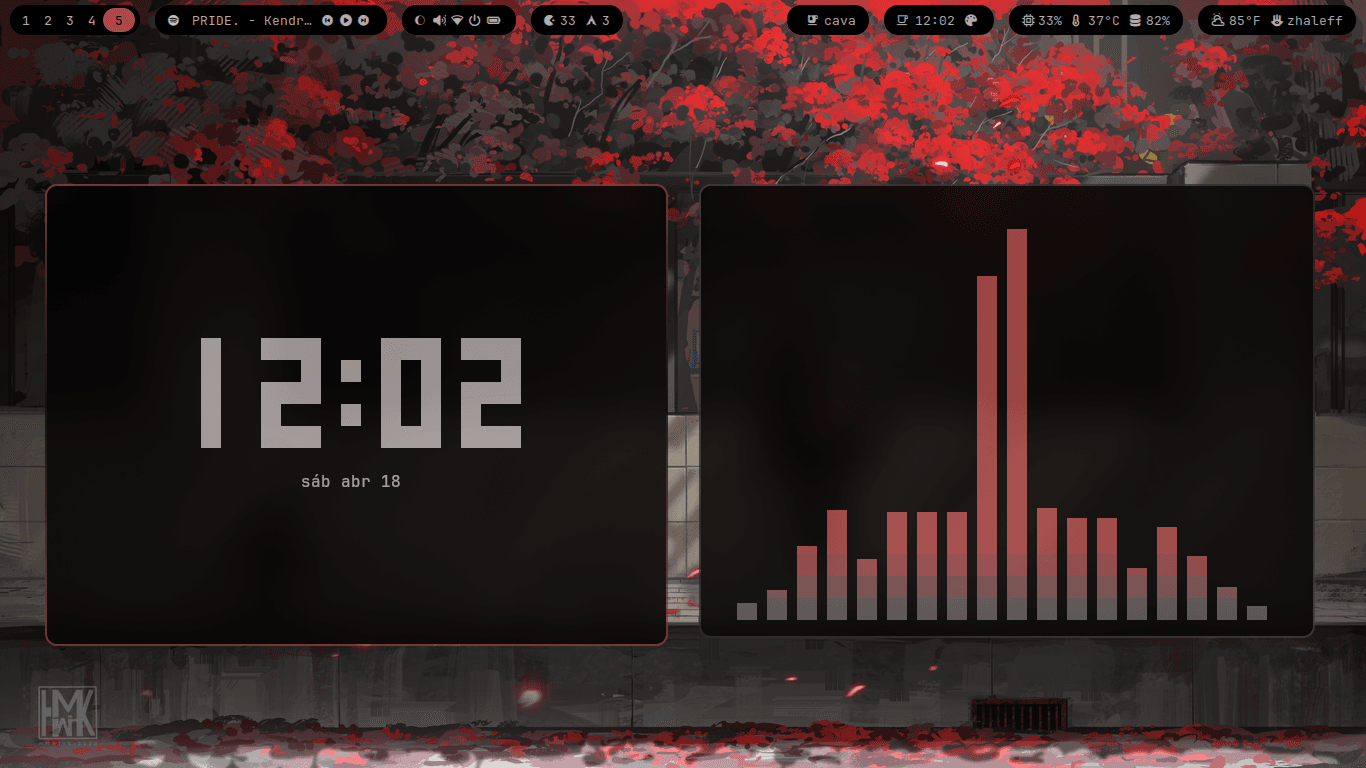
About this setup
BlackNode is a dotfile with dynamic colors using Wallust. BlackNode is the ideal environment for a Linux desktop environment, without unnecessary features to avoid confusion. It's a free configuration that allows you to create your own setup with a minimal yet complete and simple configuration.
Installation Instructions
Prerequisites
OS Compatibility
Linux, macOS
Shell
Zsh, Bash
Download Size
40.5 MB
Quick Setup
BlackNode
Personal Arch Linux + Hyprland dotfiles. Catppuccin Mocha as base theme, wallust for dynamic colours from your wallpaper.
---
Dependencies
You need Arch Linux, a non-root user with sudo, git, and an AUR helper. The installer sets up yay automatically if you don't have it.
---
Install
Clone the repo anywhere. The installer will find it.
git clone https://github.com/HollowSec/BlackNode.git ~/BlackNode
cd ~/BlackNode
chmod +x install.sh
./install.sh
The script will ask you what groups of packages you want to install, where your wallpapers are, and will handle everything from there — packages, symlinks, services, fonts, SDDM theme, and an initial wallust run.
When it finishes, log out and select Hyprland from SDDM.
---
What the installer does
It detects the repo location regardless of how you named the clone folder. It installs only the groups you select. It backs up your existing configs before touching anything. It symlinks everything from Configs/.config/ into ~/.config/ and scripts from Configs/.local/bin/ into ~/.local/bin/. It enables NetworkManager, bluetooth, SDDM, and pipewire. It runs wallust against the first wallpaper it finds in the directory you give it.
---
Wallpapers
Put your wallpapers somewhere and tell the installer when it asks. After install, change wallpaper with SUPER + W. wallust will regenerate the colour palette and restart waybar, dunst, and rofi automatically.
---
Keybindings
SUPER + D              Terminal
SUPER + R              Launcher
SUPER + B              Browser
SUPER + E              File manager
SUPER + H              Screenshot
SUPER + W              Wallpaper selector
SUPER + C              Clipboard
SUPER + L              Lock screen
SUPER + X              Logout
SUPER + F              Toggle floating
SUPER + SHIFT + F      Fullscreen
SUPER + Q              Kill window
SUPER + S              Toggle scratchpad
SUPER + 1-9            Switch workspace
SUPER + SHIFT + 1-9    Move window to workspace
SUPER + arrows         Move focus
SUPER + scroll         Cycle workspaces
SUPER + LMB            Move window
SUPER + RMB            Resize window
---
Structure
BlackNode/
├── Configs/
│   ├── .config/
│   │   ├── hypr/
│   │   ├── waybar/
│   │   ├── dunst/
│   │   ├── rofi/
│   │   ├── kitty/
│   │   ├── wlogout/
│   │   └── ...
│   └── .local/
│       └── bin/
└── install.sh
---
After install
Set your shell to zsh if it wasn't already, re-login, and you're done. If wallust didn't run during install, just do wallust run /path/to/wallpaper.png manually.
---
*— HollowSec*