

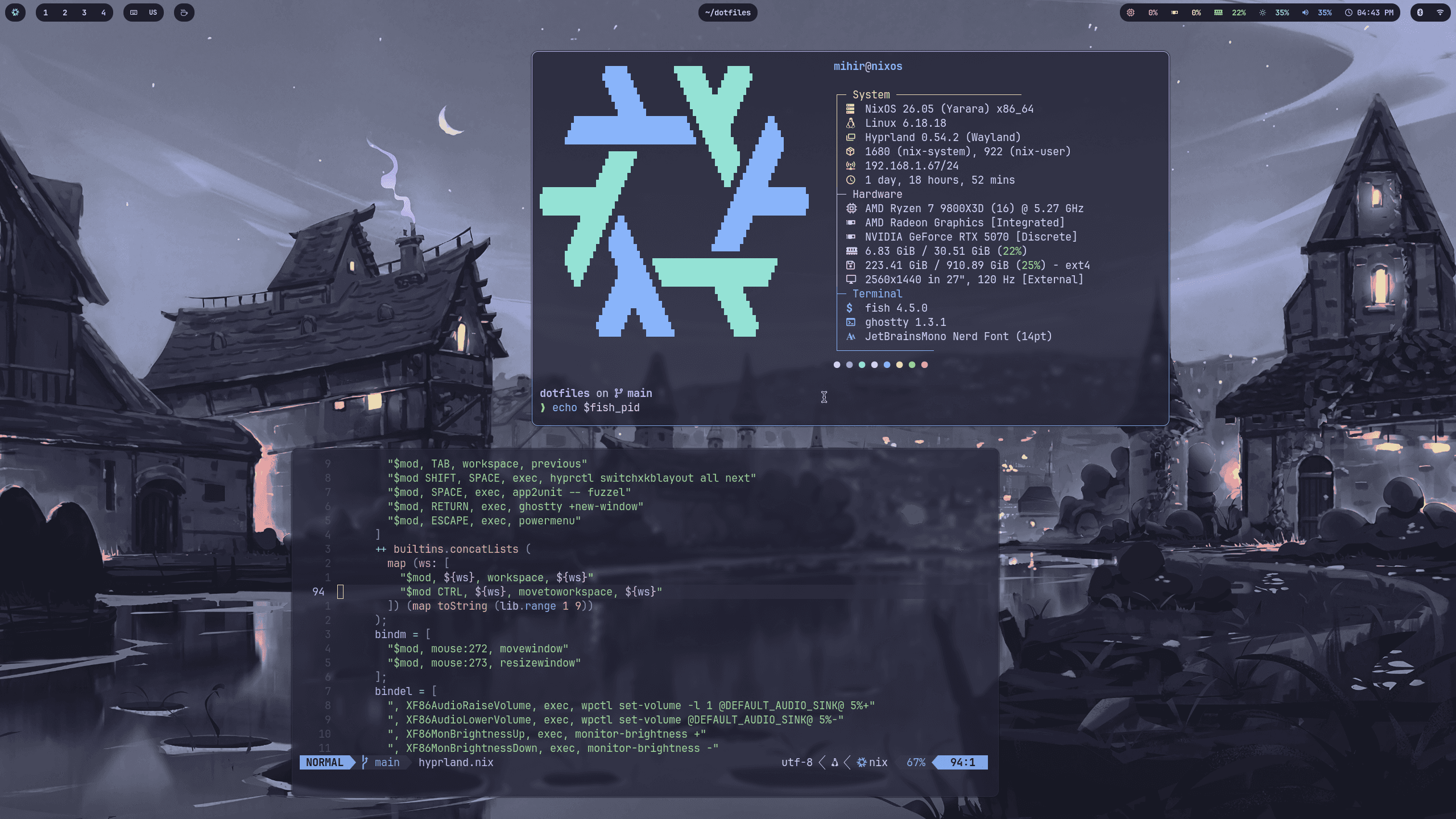
About this setup
NixOS + Catppuccin rice. Also contains Nix configurations for my MacOS and WSL machines.
Installation Instructions
Prerequisites
OS Compatibility
Linux, macOS
Shell
Zsh, Bash
Download Size
6.1 MB
Quick Setup
Stack
NixOS + flakes Hyprland + UWSM Waybar, Fuzzel, Mako, Hyprlock, Hypridle, Hyprsunset Ghostty, fish, tmux, Neovim, Starship, Zoxide Stylix with the Everforest Dark Hard base16 scheme
Install
This repo is opinionated and machine-specific. It is a solid base to adapt, but it is not a universal one-command installer.
Desktop rice (.#desktop)
- Install NixOS on the target machine and make sure flakes are enabled.
- Put this repo on the machine and enter it.
- Replace the machine-specific values before rebuilding.
- Copy your generated hardware config into machines/desktop/hardware-configuration.nix.
- Replace mihir and /home/mihir in:
flake.nix machines/desktop/configuration.nix
- Change the hostname and timezone in machines/desktop/configuration.nix.
- Review the desktop security defaults in machines/desktop/configuration.nix:
autologin is enabled wheel sudo does not require a password If you are not using NVIDIA, remove or adapt: the hardware.nvidia block services.xserver.videoDrivers = [ "nvidia" ]; home-manager/desktop/waybar/gpu.sh, which uses nvidia-smi
- Rebuild the system.
sudo nixos-rebuild switch --flake .#desktop Reboot or log out and back in. The login shell starts uwsm, which launches Hyprland automatically.
Other Targets
.#wsl: NixOS-WSL setup with the shared shell/editor tooling .#macbook: nix-darwin setup for macOS
Apply them with the matching rebuild command after replacing the same user-specific values:
sudo nixos-rebuild switch --flake .#wsl darwin-rebuild switch --flake .#macbook
Notes
The wallpaper is fetched in home-manager/common/stylix.nix. If the source URL dies, replace it there. The weather module uses ipinfo.io and open-meteo.com. If you only want the look and not the full system config, the reusable parts are mainly under home-manager/common and home-manager/desktop.