

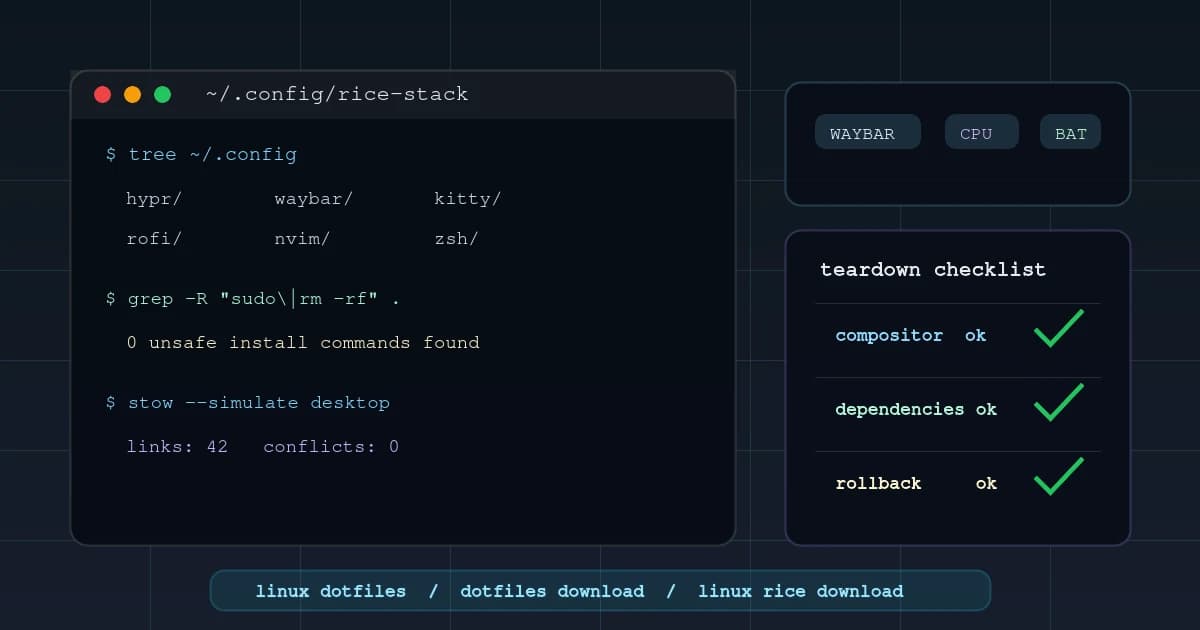
Quick answer: what makes a Linux dotfiles download worth trusting?
Last updated: May 11, 2026.
A trustworthy Linux dotfiles download is not just a pretty screenshot. It is a working stack with clear dependencies, recent compatibility notes, readable install instructions, safe backup behavior, screenshots that match the included files, and enough structure that you can remove pieces without breaking the entire desktop.
That is the difference between a rice you can learn from and a zip file that detonates your ~/.config directory. A good Linux rice download should tell you what it changes, what it needs, what it assumes, and how to roll back. If the creator cannot explain the stack, the stack is probably held together by personal machine quirks.
Use this teardown when you are browsing Linux dotfiles, comparing full rice dotfiles, or deciding whether a Hyprland, Niri, i3, terminal, or Neovim setup deserves space on your real machine.
The 2026 Linux rice stack at a glance
A Linux rice is a layered desktop system. The screenshot is the output; the dotfiles are the machinery underneath.
| Layer | Common 2026 choices | What to inspect before downloading |
|---|---|---|
| Compositor or window manager | Hyprland, Niri, Sway, i3, bspwm | Version notes, monitor rules, keybindings, portals, GPU assumptions |
| Status bar | Waybar, AGS, Eww, Polybar | Modules, scripts, CSS, icons, polling frequency, package names |
| Launcher | Rofi, wofi, fuzzel, walker | Theme files, command menus, clipboard integration, X11 vs Wayland mode |
| Terminal | Ghostty, Kitty, WezTerm, Alacritty | Font, colors, padding, shell startup, tmux or tabs |
| Shell | zsh, fish, bash | Plugin manager, aliases, PATH changes, secrets, startup time |
| Editor | Neovim, VS Code, Helix | Plugin manager, LSP dependencies, external tools, theme coupling |
| Notifications | mako, dunst, swaync | Placement, timeout behavior, CSS, actions, do-not-disturb |
| Lock and idle | hyprlock, swaylock, hypridle, swayidle | Authentication flow, suspend hooks, wallpaper paths |
| Wallpaper and theme | swww, hyprpaper, swaybg, wallust, pywal | Hardcoded paths, generated colors, light/dark mode behavior |
The stack matters because each layer can fail independently. A Waybar config can look broken because the font is missing. A Hyprland config can fail because the portal is wrong. A terminal theme can be unreadable because the screenshots used a different font renderer. A full rice download is only "one setup" from the outside.
What changed in 2026?
The interesting shift in 2026 is that Linux ricing is less about copying a few X11 config files and more about understanding a Wayland session as a small operating environment.
Hyprland is still the obvious visual reference point for many rice downloads. Its official site positions it around modern Wayland features, dynamic tiling, plugins, and responsive visual effects. As of this May 11, 2026 review, the current Hyprland release article is Hyprland 0.55, and the release notes say the config is now Lua-based while old hyprlang configs continue working for a few releases. That is exactly why stale Hyprland dotfiles deserve extra scrutiny: a serious 2026 rice should say whether it ships hyprland.lua, legacy hyprland.conf, or both.
Niri has become the more interesting alternative for people who want scrollable tiling instead of a conventional workspace grid. Its GitHub project describes it as a scrollable-tiling Wayland compositor, lists v26.04 as the latest release from April 25, 2026, and explicitly says Niri by itself is not a complete desktop environment. LWN's April 27, 2026 note on Niri 26.04 highlights blur support, optional configuration includes, screencasting improvements, and input-device work.
Waybar remains the bar you will see in many Wayland rices. Its README describes it as a highly customizable Wayland bar for Sway and wlroots-based compositors, and its current feature list includes Hyprland and Niri modules. The GitHub releases page lists 0.15.0 as the latest release from February 6, 2026. There is a trust detail worth knowing too: the Waybar README cautions that Waybar has no official website and that releases are only on the official GitHub page. If a rice tells you to download Waybar from a random "official" site, treat that as a serious warning sign.
The practical takeaway: current Linux rice downloads need version awareness. A great 2024 config might still teach good taste, but a great 2026 download should document compositor version, portal expectations, bar dependencies, package names, and whether the setup assumes Arch, Fedora, NixOS, Debian, or something else.
Screenshot-only rice vs installable rice
Some rices are built to be admired. Others are built to be installed. Both can be useful, but they should not be judged the same way.
| Signal | Screenshot-only rice | Installable rice |
|---|---|---|
| README | Short showcase notes or no install path | Dependencies, install steps, rollback notes |
| File structure | Personal ~/.config dump | Organized folders with clear ownership |
| Scripts | One-off helpers with personal paths | Auditable scripts with backup behavior |
| Screenshots | One perfect desktop state | Multiple states: launcher, terminal, bar, editor |
| Compatibility | "Works on my Arch install" | Lists distro, compositor, package, and version assumptions |
| Best use | Inspiration and learning | Safe trial, adaptation, or direct install |
The trap is assuming visual polish means operational polish. A rice can have perfect spacing, perfect blur, and a perfect wallpaper while hiding a brittle install script that overwrites .zshrc, assumes /home/creator, and launches five services you did not ask for.
When you browse dotfiles downloads, decide first whether you want inspiration or installation. Inspiration can be messy. Installation should be boring in all the right places.
How to read a dotfiles repo in 10 minutes
Before you fall in love with a screenshot, inspect the repo like a maintainer. You do not need to understand every line. You need to answer a few practical questions fast.
Start with the shape of the download:
tree -L 3
find . -maxdepth 3 -type f | sort | sed 's#^\./##'
A clean full rice usually has recognizable ownership boundaries:
hypr/
waybar/
rofi/
kitty/
nvim/
zsh/
scripts/
wallpapers/
README.md
install.sh
packages.txt
A risky full rice often looks like a random home directory backup:
.config/
.cache/
.local/share/
.ssh/
.mozilla/
Downloads/
install-everything.sh
That second shape is not automatically malicious, but it is a warning. A dotfiles download should contain intentional config, not a person's entire user profile. You should not see browser profiles, SSH material, app caches, session state, or private-looking local data.
Then check the moving parts:
grep -R -n "/home/" .
grep -R -n -E "sudo|curl|wget|rm -rf|systemctl|chsh" .
find . -maxdepth 4 -type f -name "*.sh" -print
The goal is not to reject every match. A good installer may use sudo to install packages, and a good README may mention curl for a tool installer. The goal is to understand whether the repo is honest about what it does.
Finally, check whether the content matches the claim:
| Claim in title or screenshot | Files that should exist |
|---|---|
| Hyprland rice | hyprland.lua or hyprland.conf, Waybar config, launcher theme, wallpaper tool config |
| Niri rice | Niri config, bar or shell setup, launcher config, portal notes |
| Full rice | Compositor, bar, terminal, shell, launcher, lock, wallpaper, scripts |
| Terminal setup | Terminal config, shell config, prompt/theme notes, font requirements |
| Neovim setup | init.lua, plugin files, LSP notes, formatter/tool dependencies |
If a listing says "full Linux rice download" but only includes a terminal color scheme and a wallpaper, it is not a full rice. It may still be useful, but the title is doing more work than the files.
Example teardown: a good Hyprland rice download
Imagine you open a Hyprland rice and see this structure:
hypr/
  .config/hypr/hyprland.lua
  .config/hypr/conf/monitors.lua
  .config/hypr/conf/keybinds.lua
  .config/hypr/hyprlock.conf
  .config/hypr/hypridle.conf
waybar/
  .config/waybar/config.jsonc
  .config/waybar/style.css
rofi/
  .config/rofi/config.rasi
  .config/rofi/theme.rasi
kitty/
  .config/kitty/kitty.conf
scripts/
  screenshot.sh
  wallpaper.sh
packages/
  arch.txt
  fedora.txt
README.md
install.sh
That is a good first signal because the desktop is split by responsibility. You can inspect Hyprland without reading terminal config. You can reuse Waybar without adopting the shell. You can remove Rofi without guessing where its styles are buried. A compatibility-focused rice might still use legacy .conf files, but in 2026 it should say that on purpose rather than leaving you to guess.
Now inspect the README. A strong README answers these questions before you ask:
- Which distro was this tested on?
- Which Hyprland version or release window does it target?
- Does it require Nvidia-specific environment variables?
- Which font renders the icons?
- Which portal package is expected?
- Which screenshot tool is used?
- Does the install script back up existing files?
- How do you uninstall or roll back?
The strongest sign is not "works perfectly." It is specificity. "Tested on Arch with Hyprland 0.55, hyprland.lua, Waybar 0.15.0, Nerd Font X, and xdg-desktop-portal-hyprland" is more trustworthy than "works on Linux."
Then read the scripts. A good install.sh should look like a checklist, not a stunt:
#!/usr/bin/env bash
set -euo pipefail

backup_dir="$HOME/.config-backup-$(date +%Y%m%d-%H%M%S)"
mkdir -p "$backup_dir"

for dir in hypr waybar rofi kitty; do
  if [ -e "$HOME/.config/$dir" ]; then
    mv "$HOME/.config/$dir" "$backup_dir/$dir"
  fi
done

stow --target="$HOME" hypr waybar rofi kitty
You do not need this exact script. You do want the same posture: stop on errors, back up first, keep changes inside $HOME, and make the destination obvious. The Stow layout above is deliberate: each package contains the target path it should create under $HOME, such as .config/hypr/. If a repo uses stow --target="$HOME/.config", the package needs a different internal shape.
Example teardown: a risky rice download
Now imagine a different repo:
install.sh
dots.zip
README.md
The README says:
run install.sh
tested on my arch
The install script does this:
# risky example - do not run
rm -rf ~/.config
unzip dots.zip -d ~/
sudo pacman -S $(cat packages.txt) --noconfirm
chsh -s /bin/zsh
That setup might produce the screenshot, but it fails the trust test. It wipes the whole config directory, hides the real files inside a zip, installs packages without letting you review the list, and changes your shell. Even if the creator meant well, the install path is too aggressive.
The safer move is to extract the zip manually, inspect every directory, and copy only one layer. Start with terminal or Waybar. Leave the compositor alone until you know which package names, portal packages, monitor rules, and session files it expects.
This is the difference between a download you can learn from and a download you should sandbox. A risky repo can still contain good ideas. It just should not get write access to your daily user account on the first run.
The stack teardown checklist
Before downloading a Linux rice, walk the stack from the session layer down to the small scripts. This takes five minutes and catches most bad downloads.
1. Compositor or window manager
Start with the session. For Hyprland dotfiles, check hyprland.lua or hyprland.conf, included config fragments, monitor definitions, workspace rules, keybindings, animation settings, input config, and portal notes. A good Hyprland rice names the tools around it: hyprpaper or swww, hyprlock, hypridle, xdg-desktop-portal-hyprland, Waybar, and the launcher.
If a Hyprland rice claims Nvidia support, be extra demanding. The Hyprland Nvidia wiki says there is no official Hyprland support for Nvidia hardware, even though many people have success with the documented setup. A serious Nvidia-friendly rice should name driver assumptions, environment variables, portal behavior, and any known Electron, XWayland, suspend, or multi-monitor issues.
For Niri rice, check whether the config is using current Niri behavior, how it handles columns and workspaces, which desktop shell pieces are expected, and whether Xwayland or screencasting assumptions are documented. Niri is not just "Hyprland but sideways"; it changes how you think about space.
For i3, bspwm, and other X11 window managers, check the surrounding tools: Polybar, Rofi, Picom, sxhkd, xrandr, feh, dunst, and any scripts that call X11-only commands. These setups can be more stable over time, but they often rely on many separate packages.
2. Status bar
The bar tells you how disciplined the rice is. A careful Waybar config has readable JSON or JSONC, CSS that names its modules clearly, and scripts that do one job. A messy bar config polls too often, shells out constantly, uses hardcoded icons, and depends on fonts the README never mentions.
Check these files before installing:
~/.config/waybar/config~/.config/waybar/style.css- custom scripts called by Waybar modules
- icon font requirements
- battery, network, audio, Bluetooth, media, and update modules
If a bar looks beautiful but half its modules are personal shell scripts, copy it slowly. Bar scripts are where many rices hide fragile machine-specific assumptions.
3. Launcher and menus
Launchers are small but high-friction when broken. Look for rofi, wofi, fuzzel, or walker themes, plus power menus, clipboard menus, emoji pickers, screenshot menus, and app-specific scripts.
The question is not "does the launcher look good?" The question is "does every menu command exist on my system?" A power menu that calls a custom ~/.local/bin/powermenu is fine if that file is included. It is not fine if the screenshot shows a menu that the download cannot reproduce.
Also check whether the launcher path is X11, Wayland-native, or a fork. rofi setups may assume X11 behavior, rofi-wayland has different packaging, and wofi or fuzzel themes will not drop into every Rofi config unchanged. Launcher screenshots are cheap; reproducible launcher commands are the useful part.
4. Terminal and shell
Terminal dotfiles are the easiest part to copy and the easiest place to underestimate taste. Check font, size, padding, background opacity, color scheme, shell prompt, and tmux integration.
For shell files, read every export, alias, and function before adopting them. A beautiful prompt is not worth inheriting someone else's PATH hacks, language-manager assumptions, or private work aliases. If the setup uses zsh plugins, check the plugin manager and startup cost. If it uses fish, check functions and abbreviations. If it uses bash, check whether login and interactive shell files are separated correctly.
5. Editor config
Neovim dotfiles are often bundled into full rices because the editor theme completes the screenshot. That does not mean you should install them blindly.
Check the plugin manager, external dependencies, LSP servers, formatters, ripgrep, fd, Node, Python, Go, Rust, and any custom keymaps that conflict with your habits. A Neovim config can be useful even if you never install it. Reading a good lua/plugins/ directory can teach you more than copying it.
Browse terminal dotfiles and the broader Linux ricing guide if you want to compare stack choices before grabbing a full desktop bundle.
6. Install scripts
Install scripts are the trust test. A good script is boring, readable, and reversible. It checks dependencies, asks before overwriting files, backs up existing configs, and limits writes to $HOME unless it clearly explains why system changes are required.
Red flags:
curl ... | shwithout a readable source filesudoused without explanationrm -rf ~/.config/...before backup- hardcoded
/home/usernamepaths - package installs with no distro detection
- remote downloads from unknown domains
- scripts that change shell, services, or display manager without asking
The safest install script is the one you could run line by line yourself.
Compatibility checks that actually matter
Compatibility is where many Linux rice downloads overpromise. A config can be "just dotfiles" and still depend heavily on distro packages, graphics stack, shell behavior, font rendering, and display-server assumptions.
| Compatibility area | Why it matters | What to check |
|---|---|---|
| Distro | Package names and versions differ | Arch package list, Fedora alternatives, Debian/Ubuntu notes |
| Display stack | X11 and Wayland tools are not interchangeable | X11 automation vs Wayland-native tools, launcher mode, screenshots, portals |
| Compositor version | Config options change over time | Hyprland/Niri/Sway version notes and changelog awareness |
| GPU | Blur, shadows, scaling, and screen capture can behave differently | Nvidia notes, multi-GPU notes, environment variables |
| Fonts | Missing glyphs break bars and launchers | Nerd Font name, fallback font, icon set |
| Shell | Startup files differ between bash, zsh, and fish | .zshrc, .bashrc, config.fish, plugin manager |
| Package manager | Install commands cannot be copied across distros | pacman, dnf, apt, nix, brew separation |
| Screen size | Monitor rules may hardcode resolution or scale | monitor =, workspace assignment, bar height |
Do not treat "works on Arch" as "works on Linux." Arch is common in ricing because packages are fresh and the AUR is convenient. Fedora can be a strong Wayland workstation, but package names, defaults, and release timing still differ. Debian and Ubuntu LTS can be excellent daily systems, but bleeding-edge compositor configs may require newer packages than the base repositories provide. NixOS can make a rice deeply reproducible, but only if the system config is included or documented.
The most portable downloads separate "config files" from "system assumptions." If a creator gives you both, you can adapt the setup. If they only give you a screenshot and a shell script, you are guessing.
README scorecard for dotfiles downloads
Use this scorecard when you want a fast decision. A rice does not need a perfect score, but a paid or featured download should be strong here.
| README item | Good sign | Weak sign |
|---|---|---|
| Screenshots | Desktop, terminal, launcher, bar, editor | One cropped beauty shot |
| Target system | Distro, compositor, package versions | "Linux" |
| Dependencies | Package list grouped by distro | Packages scattered through prose |
| Fonts | Exact font name and install link | Icons missing in screenshots |
| Install path | Step-by-step with backup | "Run install.sh" only |
| Rollback | Restore command or backup location | No uninstall notes |
| Config structure | Explains important folders | Dumped .config tree |
| Known issues | Honest limitations | Claims universal compatibility |
| License | Clear usage/reuse terms | No license or attribution guidance |
| Maintenance | Last updated date or changelog | No update history |
The best README does not need to be fancy. It needs to reduce uncertainty. People downloading Linux dotfiles are already technical; they do not need hand-holding as much as they need accurate assumptions.
Dotfiles install methods: copy, symlink, Stow, or chezmoi?
There is no single correct install method. The right choice depends on whether you are trying a rice once, adapting pieces, or maintaining your own dotfiles long term.
| Method | Best for | Tradeoff |
|---|---|---|
| Manual copy | Quick inspection of one config | Easy to lose track of changes |
| Manual symlink | Small personal setup | Can become messy as the repo grows |
| GNU Stow | Simple repo organized by packages | Requires predictable folder layout |
| chezmoi | Multi-machine dotfiles with templates and secrets | More concepts to learn |
| yadm | Git-native dotfiles management | Less visual/package separation than Stow |
| Nix/Home Manager | Reproducible system plus user config | Strong learning curve |
GNU Stow is useful because it manages symlink farms: your repo can keep separate packages like hypr, waybar, and kitty, while Stow makes those files appear in the target tree. The GNU Stow manual describes it as a symlink farm manager, and its --simulate option is especially useful before touching real config. That model is a natural fit for Linux rice downloads because each layer stays removable.
Chezmoi is useful when your dotfiles need to change across machines. It supports templates, machine-specific values, and secret handling through external password managers or encrypted files. That is overkill for simply trying one Waybar theme, but powerful if you want one dotfiles repo across a laptop, desktop, server, and work machine.
For downloads, the safest first install is often not an install at all. Copy the terminal theme, test the Waybar CSS, read the Hyprland keybindings, and only then decide whether the repo deserves a proper manager.
One more practical detail: modern Linux apps usually expect config under $XDG_CONFIG_HOME, which defaults to $HOME/.config when unset. A rice that respects that convention is easier to adapt than one that hardcodes random paths under the home directory.
Safe download workflow before replacing real configs
Use this process for any serious Linux rice download:
- Download or clone the dotfiles into a separate folder.
- Read the README and package list before running anything.
- Search for hardcoded paths with
grep -R -n "/home/" .. - Search for risky commands with
grep -R -n -E "sudo|curl|wget|rm -rf|systemctl|chsh" .. - Back up your current config with Git, GNU Stow, chezmoi, yadm, or a plain copy.
- Test the rice in a new user account, VM, spare machine, or second desktop session.
- Move one layer at a time: terminal, shell, bar, launcher, compositor.
- Keep notes on every package and file you changed.
- Remove anything you do not understand.
- Only then make it your daily setup.
The goal is not paranoia. The goal is control. Dotfiles are powerful because they are text files. Treat that as an advantage: read them, diff them, adapt them, and keep ownership of your machine.
What to download first by goal
Different searchers mean different things when they search for "linux dotfiles" or "linux rice download." Choose the safest starting point for your goal.
| Goal | Best first download | Why |
|---|---|---|
| Make terminal prettier | Terminal theme and font config | Low risk, fast rollback |
| Learn ricing structure | Full rice repo without running installer | You can study every layer |
| Try Hyprland | Hyprland config plus Waybar only | Keeps the session surface understandable |
| Try Niri | Niri config plus launcher/bar notes | The workflow is different enough to learn separately |
| Improve productivity | Shell, tmux, Neovim configs | Workflow gains without replacing the whole desktop |
| Rebuild a machine | Dotfiles repo with Stow/chezmoi/Nix notes | More reproducible and less screenshot-driven |
| Publish your own rice | Your own repo plus README and screenshots | Builds trust and makes support easier |
Beginners should usually avoid installing a full rice in one step. Intermediate users can adopt one layer at a time. Advanced users can use the full download as source material and rebuild the stack in their own style.
That is also why Dotfiles Market search is useful: you can compare by category instead of treating every dotfiles repo as the same kind of artifact.
How Dotfiles Market helps with the teardown
Dotfiles Market is useful because it puts the first layer of evaluation in one place: screenshots, categories, descriptions, creator context, and download intent. Instead of digging through a random GitHub repo and guessing whether it is a full desktop setup or just a personal backup, you can start from the type of stack you want.
Start here:
- Search every setup at Dotfiles Market search
- Browse complete desktops in Full Rice
- Compare modern Wayland setups in Hyprland
- Explore scrollable tiling in Niri
- Read the practical Dotfiles Download Guide
- Use The 2026 Linux Ricing Guide to understand the broader stack
The best use of a marketplace is not blind downloading. It is faster comparison. You should be able to look at three rices side by side and ask: which one explains the stack, which one documents dependencies, which one has believable screenshots, and which one will still make sense after the wallpaper changes?
FAQ
What are Linux dotfiles?
Linux dotfiles are configuration files that control shells, terminals, editors, window managers, status bars, launchers, and desktop behavior. They are called dotfiles because many hidden config files begin with a dot, such as .zshrc, .gitconfig, and .tmux.conf, though modern configs often live under ~/.config.
What is a Linux rice download?
A Linux rice download is a dotfiles bundle for a complete customized desktop or terminal setup. A full rice usually includes a compositor or window manager, status bar, launcher, terminal, shell, editor theme, notifications, lock screen, wallpaper tooling, scripts, fonts, and install notes.
Is it safe to download Linux dotfiles?
It is safe to download Linux dotfiles if you inspect them before installing. The files are usually plain text. The risk comes from install scripts, hardcoded paths, missing dependencies, system-level commands, and overwriting your existing config without a backup.
Should I install a full rice or copy parts of it?
Most people should copy parts first. Start with terminal colors, fonts, launcher theme, or Waybar modules. Install the full rice only when the README is strong, the dependencies are clear, and you have tested the setup away from your main user account.
What should a good dotfiles README include?
A good dotfiles README should include screenshots, target distro, compositor or window manager version, package dependencies, font requirements, install steps, backup behavior, known issues, and rollback instructions. If the README only says "clone and run install.sh," read the script before trusting the setup.
Where can I download Linux dotfiles?
You can download Linux dotfiles from curated marketplaces, creator pages, GitHub repos, and community posts. Dotfiles Market is built around screenshots, categories, and discoverability. GitHub is best when you already know the creator or repo. Community posts are best for inspiration, but the install quality varies widely.
Can I use a Hyprland rice download on Ubuntu or Fedora?
Sometimes, but do not assume it. Many Hyprland rice downloads are built on Arch or Arch-based systems because the packages are current. Fedora may work with adjusted package names, while Ubuntu LTS may need newer repositories or manual installs. Check compositor version, package list, portal setup, fonts, and GPU notes before installing.
Do Linux rice downloads include wallpapers?
Many full rice downloads include wallpapers, but not all creators have redistribution rights for every image shown in screenshots. A good download explains whether wallpapers are included, where they are stored, and which wallpaper tool is used. If the wallpaper is missing, the rice should still function.
Are paid dotfiles worth it?
Paid dotfiles can be worth it when the creator provides strong documentation, clean packaging, support, screenshots, updates, and a setup that saves meaningful time. The value is not only the text files. The value is the hours of curation, compatibility testing, and explanation around them.
Can I sell my own Linux rice?
Yes, if you own or have permission to distribute the files you include. Be careful with wallpapers, fonts, icons, themes, and copied scripts. A trustworthy paid rice should include a clear license, dependency list, screenshots, and install notes so buyers know what they are getting.
How often should I refresh downloaded dotfiles?
Refresh only after checking what changed. Terminal themes and shell aliases can stay stable for years, but Wayland compositor configs, Waybar modules, portals, package names, and lock screen tools may need review after major distro or compositor updates.
Sources and further reading
This article was updated on May 16, 2026.
Primary references for the current tooling notes: Hyprland, Hyprland 0.55, Hyprland Lua config notes, Hyprland Wiki, Niri GitHub, Niri v26.04, LWN on Niri 26.04, Waybar GitHub, Waybar 0.15.0, GNU Stow, chezmoi, and the XDG Base Directory Specification.
For more on this site, continue with Dotfiles Download Guide, The 2026 Linux Ricing Guide, and Hyprland vs i3wm.